What SitePilot does (4 min)
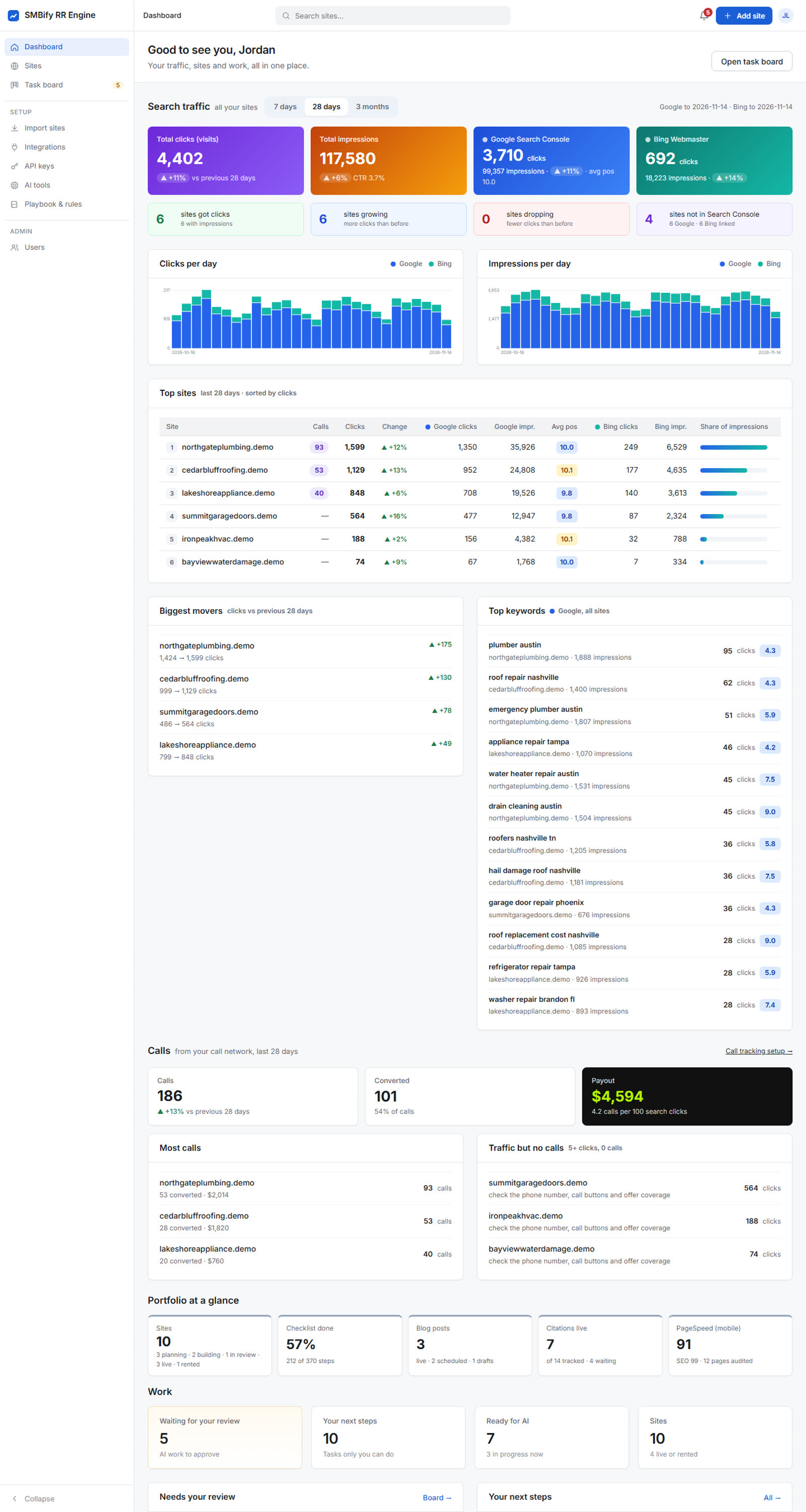
The whole product: AI builds, four launch gates, traffic and calls.
One demo site, from domain to rented, the way it runs in SitePilot.
The whole product: AI builds, four launch gates, traffic and calls.
Every step in the real app, on a demo account.
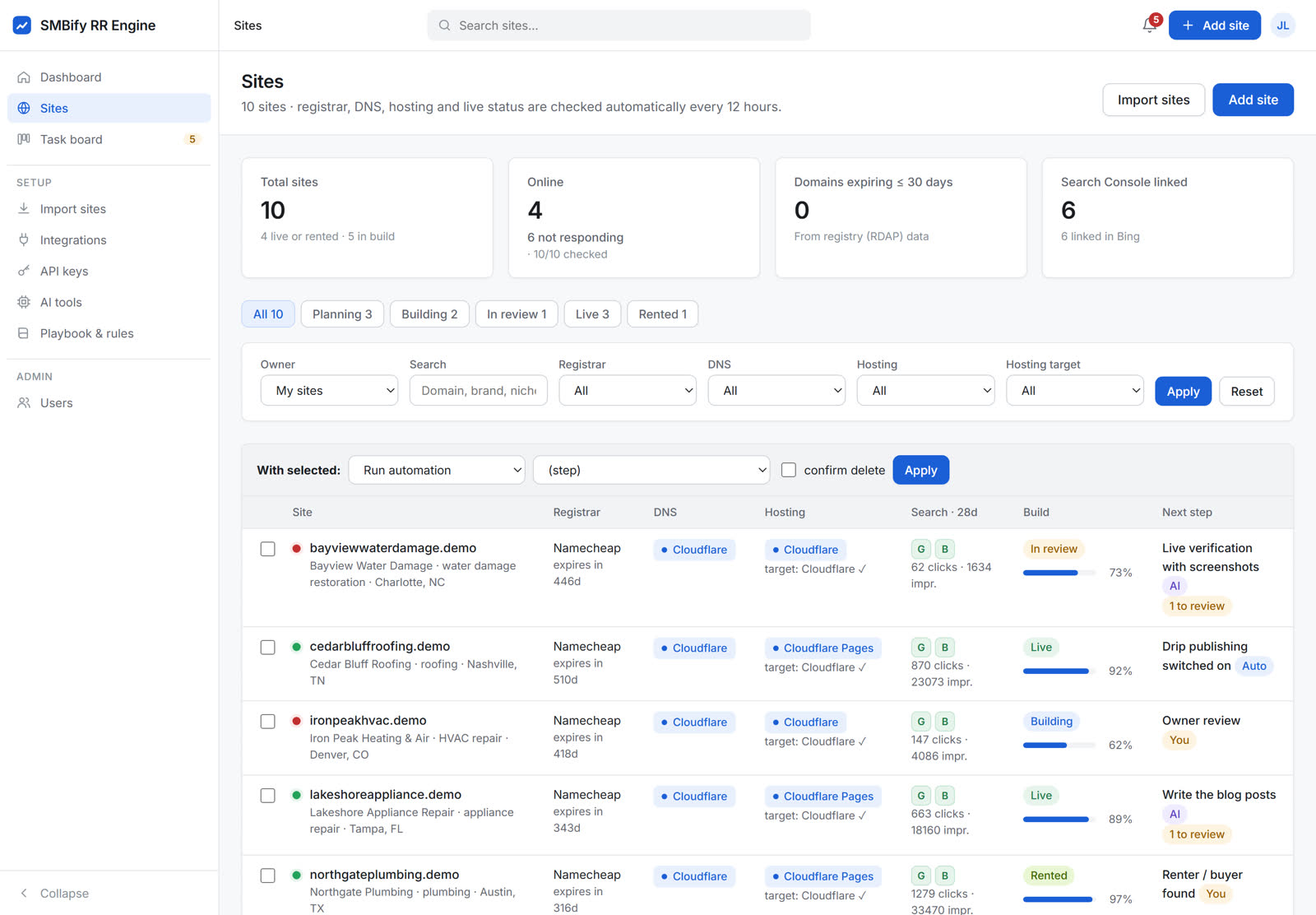
Add one domain or import a list from Cloudflare, Hostinger or Search Console. SitePilot looks up the registrar, DNS, hosting, expiry date and whether the site responds.
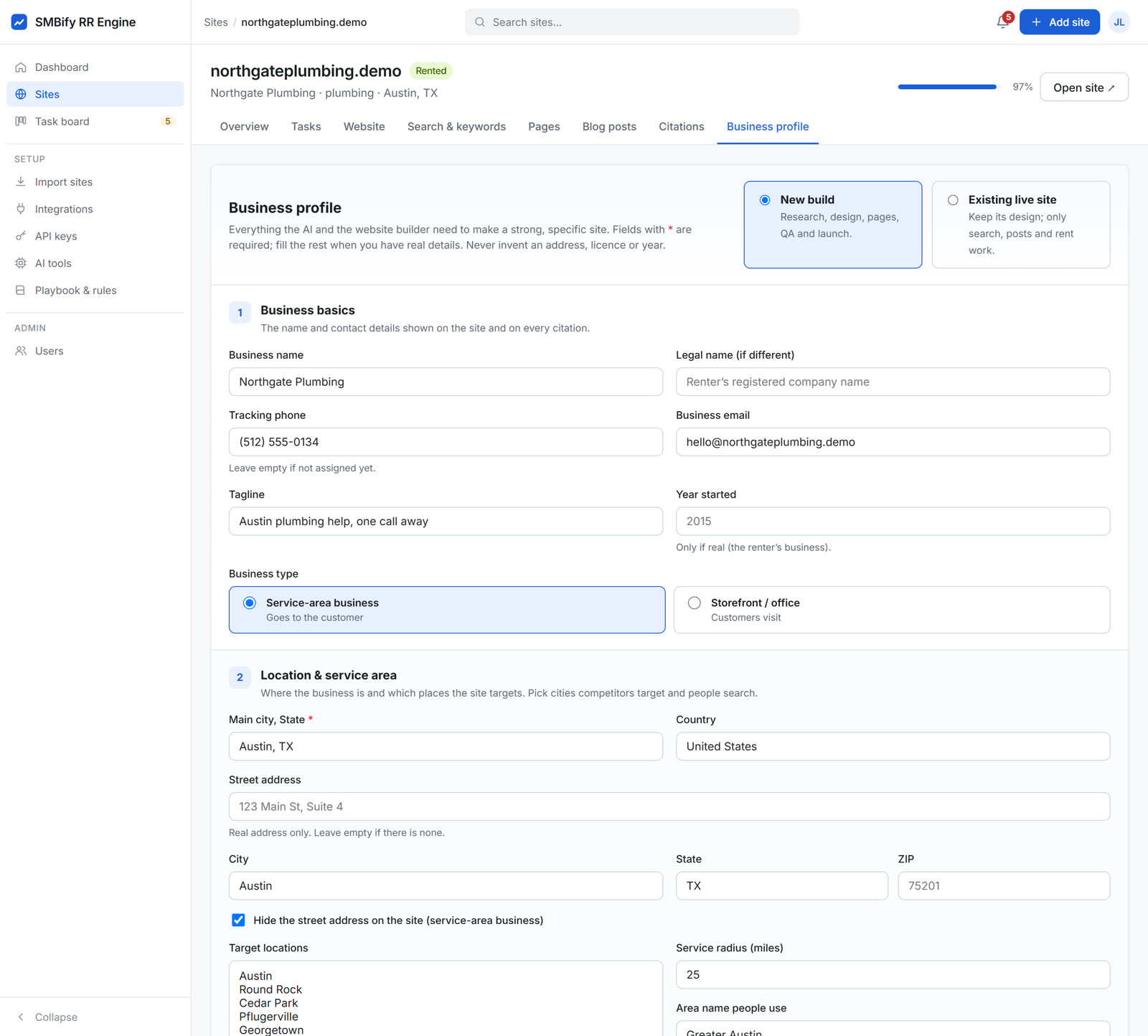
Niche, main city, target locations, services, pay-per-call offer, payout and the offer's banned words. Saving the profile opens the research steps.
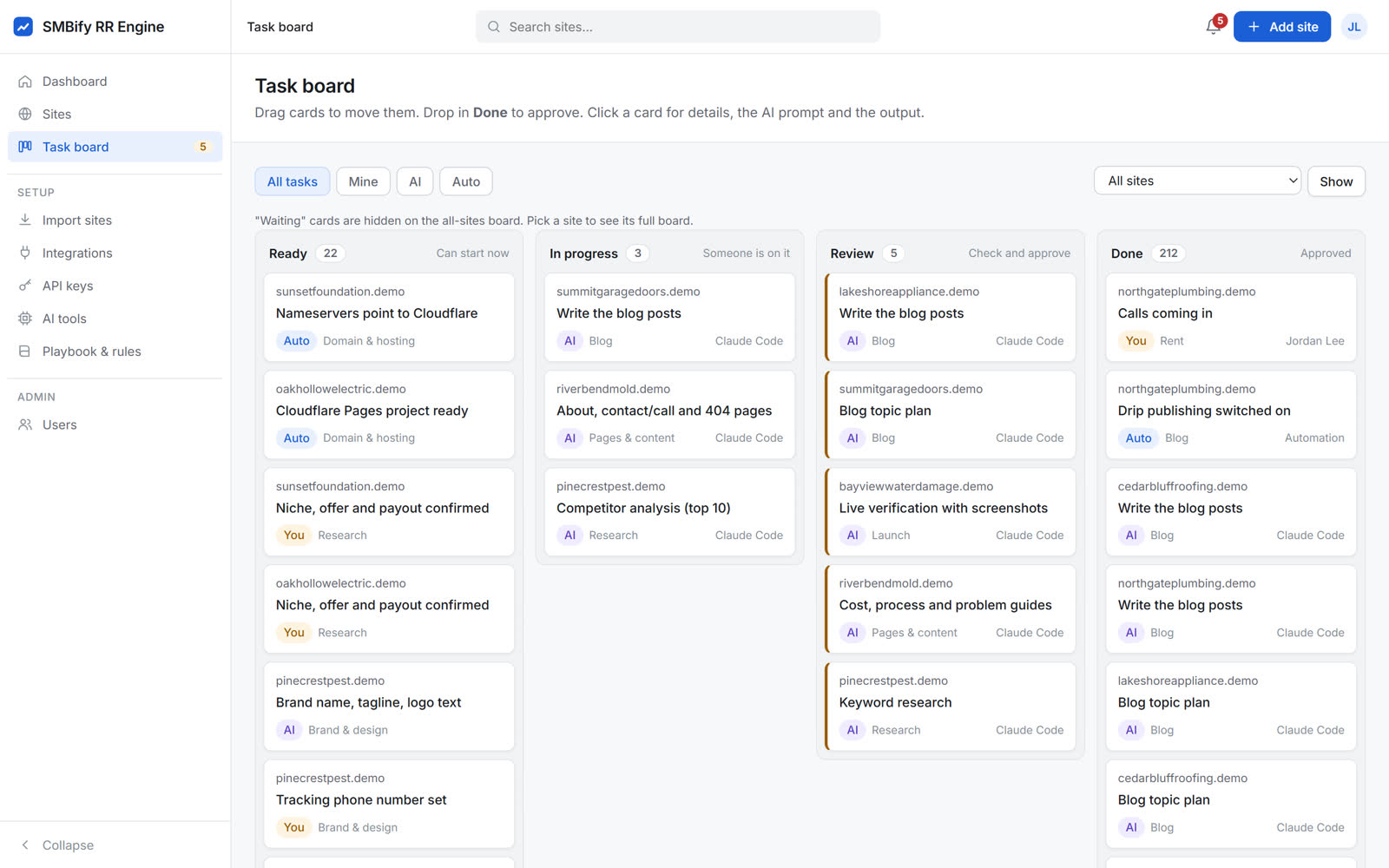
Connected by MCP, the AI works through the checklist: service cities, keyword research, the top 10 competitors, real call topics for the niche, a page plan, brand and disclosure. Each result waits in Review until you approve it or send it back with a note.
The AI builds the site on your computer from the locked starter layout with the site's own colours, fonts and photos. It runs check_site until the Website SOP says FINAL, then deploys a noindex preview and runs the phone speed test.
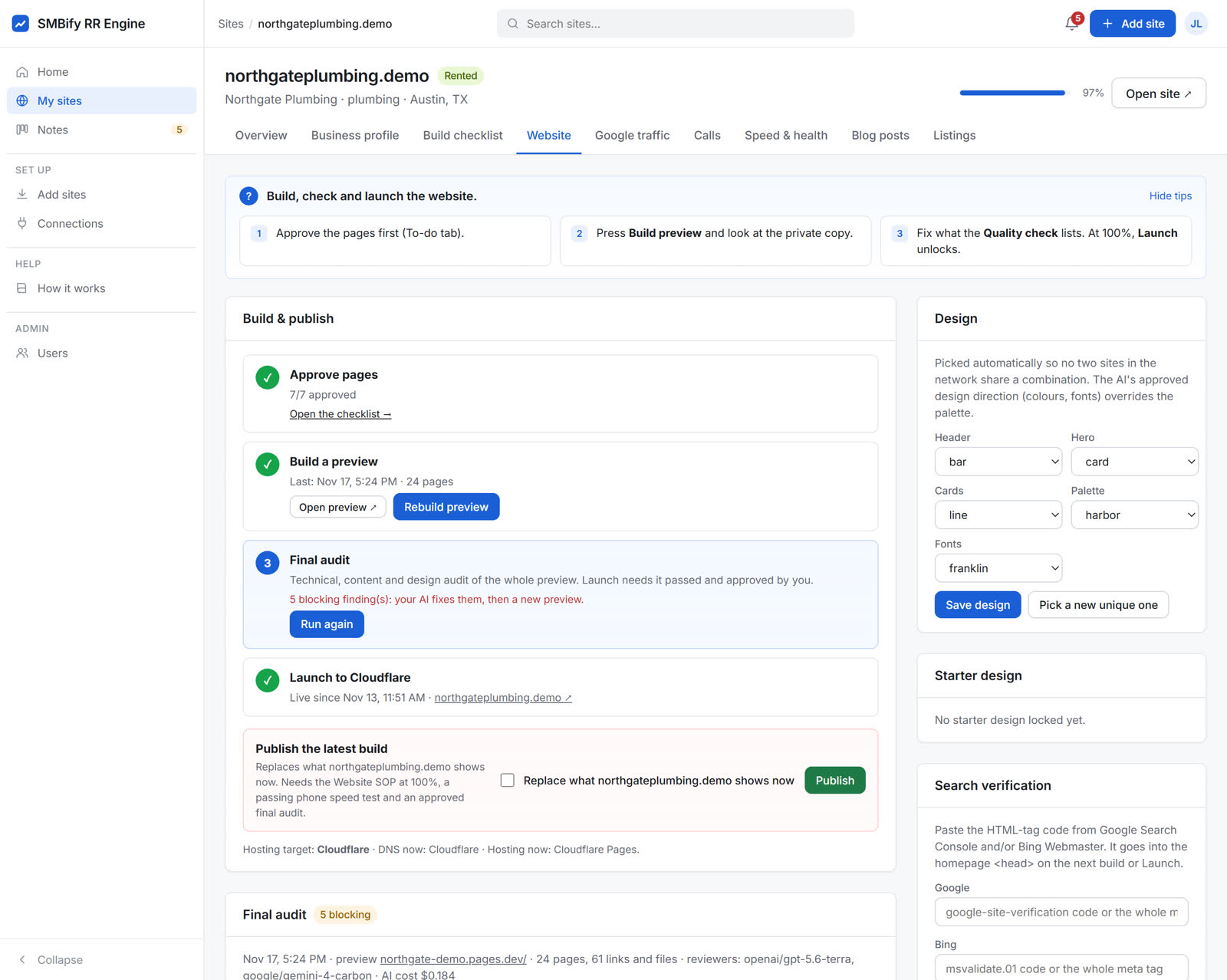
SitePilot crawls the whole preview and independent AI reviewers check the content and the design. Your AI fixes what they find. You read the report, approve it, and Launch puts the site on your domain.
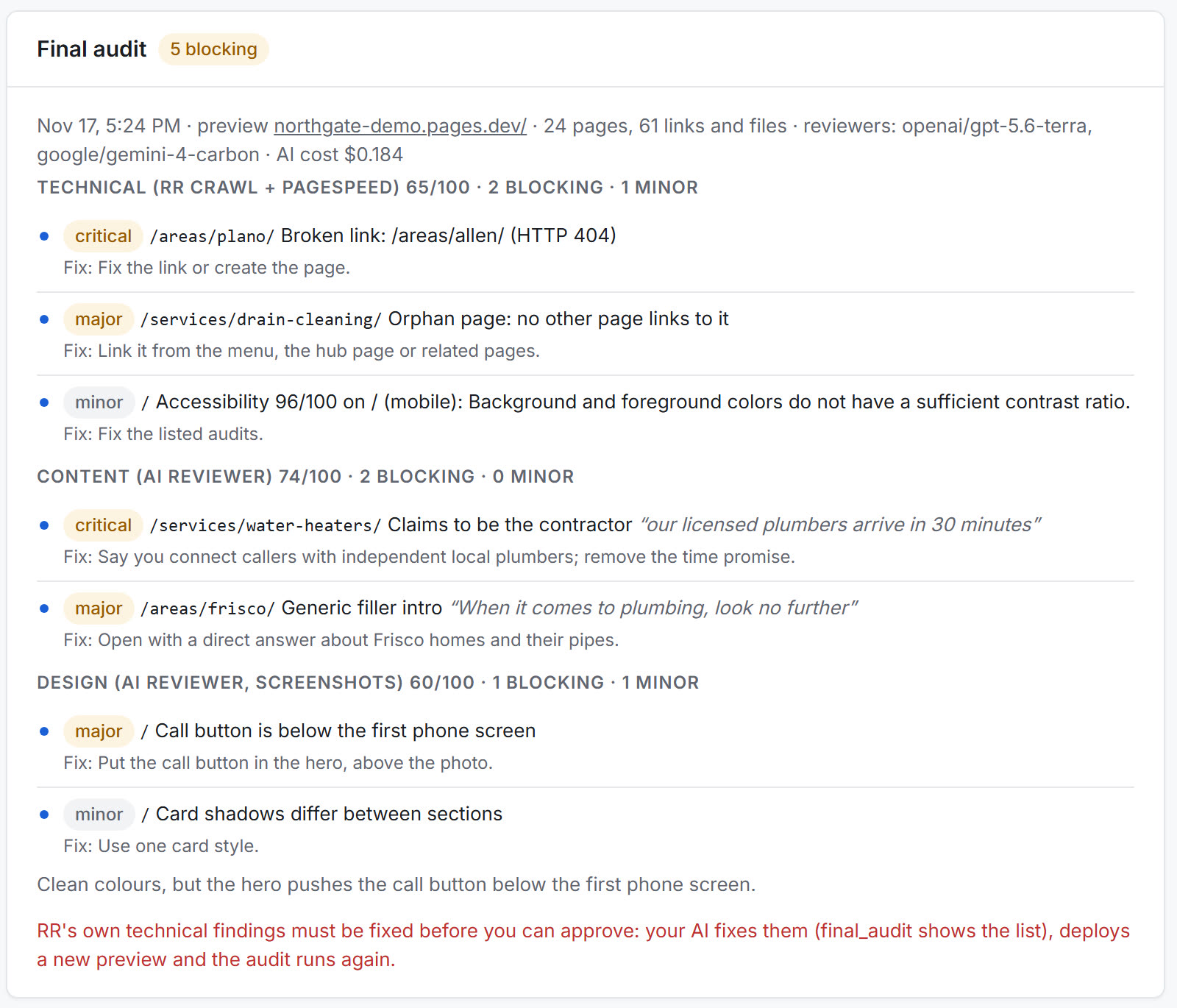
Search Console and Bing sync on their own, calls arrive with AI summaries, blog posts drip out, citations are tracked with a PDF report, and the dashboard shows which sites are ready to rent.